Content Creator Package Course

AI INTEGRATED COURSE

Content Creator Package Course

Content Creator Package Course

Course Overview
Link Copied!

The Content Creator Package Course training at Broadway Infosys is designed to teach complete content creation skills, from idea to income. The training starts with a focus on personal branding, niche selection, and the creator economy. The students are taught how to identify their audience and develop a consistent visual ​‍​‌‍​‍‌identity.

The course then focuses on scriptwriting and storytelling for both short-form and long-form platforms. It covers how to write strong hooks, structure content, and use AI tools for content ideas and scripting. Graphic design is also included, teaching students how to create thumbnails, carousels, and social media visuals using industry tools.

Most​‍​‌‍​‍‌ of the course is based on video production and editing. Students learn mobile filmmaking, lighting, and audio, then proceed to editing workflows, subtitles, transitions, color correction, and export settings for different ​‍​‌‍​‍‌platforms.

The​‍​‌‍​‍‌ training also discusses platform strategy, analytics, and monetization. Students at the end of the course will be equipped with the skills to professionally plan, create, edit, publish, and monetize content across major social media ​‍​‌‍​‍‌platforms.

Benefits of Content Creator Package Course

  • You learn practical skills: writing, video, reels, and basic design.
  • You can earn online freelancing, brand deals, or your own pages.
  • It helps small businesses. You can create content for shops, startups, and NGOs.
  • You don’t need a big budget. A phone and the internet are often enough.
  • You build a personal brand. This helps with jobs and trust.
  • You learn trends. You know what is popular on different social media platforms like Facebook, TikTok, Instagram, and YouTube.
  • You get career options: content writer, social media handler, or creator.

Benefits of Content Creator Package Course at Broadway Infosys

  • The course is affordable and beginner-friendly, making it accessible to anyone interested in pursuing a career in content creation.
  • Work with AI tools for writing, captions, ideas, and editing.
  • Experienced Trainer
  • Choose from weekday, weekend, or online classes to fit your schedule, whether you're a student or a working professional.
  • Receive a recognized certification and personalized guidance on job placements, freelancing, or launching your startup.
  • Helps build a portfolio. Useful for jobs and freelancing.
  • You learn social media tools. Facebook, Instagram, TikTok, YouTube.

Our graduates are hired by 350+ companies in Nepal

Time for you to be the next hire. With our advanced and industry relevant courses, you are on the right stage to start your dream career.
Our graduates are hired by

Lesson 1: Foundations of Personal Branding & Strategy

  • Overview of the creator economy ecosystem
  • Evolution from traditional media to social and digital platforms
  • Shift from consumer to creator and the mindset for long-term success

  • Identifying a niche by aligning personal interests with market demand
  • Understanding and defining a target audience
  • Creating audience personas to guide relevant content

  • Importance of consistent branding (colors, typography, logo)
  • Using visual elements to create a recognizable identity
  • Creating a Unique Value Proposition (UVP)

  • Essential tools for content creation and management
  • Organizing workflow with project management frameworks
  • Maintaining a consistent content posting schedule

  • Structure of high-retention content: Hook, Body, CTA
  • Techniques to grab attention in the first 3 seconds
  • Using clear Calls to Action to guide audience behavior

  • Differences in scripting for short-form (TikTok/Reels) vs. long-form (YouTube) content
  • Techniques for pacing, dialogue, and simplifying complex ideas for audience engagement

  • Leveraging AI tools for brainstorming content ideas and drafting scripts
  • Overcoming creative blocks using AI assistance
  • Using prompt engineering for effective creative writing

  • Basics of Canva: templates, custom brand kits, and tools
  • Principles of layout, white space, and visual hierarchy
  • Creating professional-looking social media visuals

  • Understanding the "psychology of the click" for thumbnails
  • Designing high-impact thumbnails with depth, contrast, and visual hooks
  • Using Adobe Photoshop basics to enhance YouTube CTR (Click-Through Rate)

  • Creating viral-style infographics and carousels
  • Storytelling through static visuals
  • Presenting data or tips in a visually appealing, shareable format

  • Overview of video creation and editing
  • Introduction to tools: Premiere Pro, CapCut, InShot, Edits
  • Learning Outcomes: What you’ll be able to do by the end of the course

  • Understanding video elements: frames, visuals, and audio
  • Technical Basics: Frame rate, resolution, and codecs

  • Workspace Tour: Overview of panels, windows, and layouts
  • Setup: How to arrange your workspace before editing

  • Importing video, audio, and images
  • Organization: Using folders, bins, and proper file naming

  • Timeline Basics: Understanding tracks, playhead, and navigation
  • Editing Clips: Moving and arranging clips on the timeline
  • Workspace Interaction: Zooming and adjusting the timeline for better control

  • Essential Tools: Cutting, trimming, snapping, and selection tools
  • Editing Workflow: Step-by-step process for a basic edit

  • Camera and mobile settings
  • Framing, lighting, and composition basics

  • Types of microphones
  • Proper placement and clean audio recording

  • Adding captions and titles
  • Font selection, timing, and readability

  • Understanding transitions: cuts, fades, dissolves, and other common transitions
  • Applying transitions between video and audio clips
  • Adjusting timing and duration for smooth flow
  • Using transitions only where needed and avoiding overuse
  • Creating clean and professional-looking continuity in edits

  • Using simple video effects
  • Basic transitions (cut, fade, dissolve)
  • Adding motion like zoom in/out and smooth movement.

  • Synchronizing voice with video
  • Matching beats with cuts
  • Balancing voice, music, and sound effects.

  • Smooth Speed Changes: Transitioning between slow and fast motion
  • Timing for Impact: Adjusting speed to enhance storytelling
  • Practical Application: Using speed ramping effectively in edits

  • Exposure & Color Fixes: Adjusting brightness and color balance
  • Matching Shots: Ensuring consistency across clips
  • Natural Look: Creating clean, realistic visuals

  • Export Basics: How to export your video
  • Formats & Presets: Choosing the right file types
  • Platform Settings: Best export settings for different platforms

  • Pacing & Timing: Adjusting cuts and rhythm for humor and engagement
  • Visual & Audio Tools: Using zooms and sound effects effectively
  • Editing Decisions: Making choices that hold viewer attention

  • Algorithm Understanding: How YouTube, Instagram, and TikTok algorithms work
  • SEO & Metadata: Optimizing titles, descriptions, and tags for discoverability
  • Cross-Platform Strategy: Distributing content effectively to maximize reach

  • Reading Analytics: Understanding retention, reach, and engagement metrics
  • Growth Hacking: Using data to optimize content performance
  • A/B Testing: Experimenting with content styles to see what works best

  • Monetization Strategies: Media kits, brand pitches, and affiliate marketing
  • Business Planning: Turning content creation into a sustainable business
  • Entrepreneurial Roadmap: Steps to grow from hobbyist to professional creator
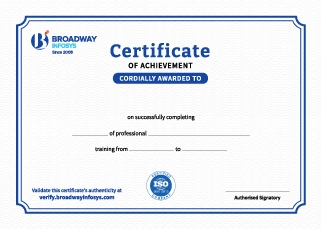
Earn a High Value Industry Certificate

Add this credential to your LinkedIn profile, resume, or CV to stand out to recruiters.

Upcoming Classes (6)
15 Feb 2026
22 Feb 2026
23 Feb 2026
01 Mar 2026
02 Mar 2026
08 Mar 2026