QA & PM Training

QA & PM Training

Quality Assurance & Project Management Training

Mode: Physical & Online Live Classes (Day/Night)
Successful student from Broadway Infosys Mr. MD Kamil Safi
Successful student from Broadway Infosys Mr. ⁨Ganesh Tharu
Successful student from Broadway Infosys Mr. Ritesh Karmacharya
Successful student from Broadway Infosys Mr. Manish Regmi

Thousands of students have started their careers after getting certified by Broadway Infosys

Updated On: 13/10/2026

Created On: 17/06/2022

Course Overview

Broadway Infosys provides quality assurance and project management training in Nepal to IT professionals with a unique blend of software testing and project management learning. During the initial sessions of this training, candidates are aspired to recognize the fundamentals of software testing, testing throughout the software lifecycle and verification and validation which are basically included in the theoretical section of the course.

The training also features the practical sessions which  make the candidates familiar with real world implications of techniques of web application testing. During the later sessions of QA and PM training you get to learn about project management and significance of quality assurance automation for effective project management. You will enhance your practical knowledge of  software testing and smarter approaches to efficient project management while joining the topnotch QA & PM training in Nepal at Broadway.

Broadway offers QA and PM training in Nepal under guidance and supervision of professionally trained instructors. Above all, this training is delivered in a friendly and interactive environment. Therefore, reserve your seat at the earliest for the upcoming QA and PM training session and help your needy friends join one of the leading and trusted IT training institutes in Nepal.

Tools Covered

Some of the major industry-relevant tools you'll work with in this course include:

  • Jira
  • TestLink
  • Zephyr
  • Xray
  • Selenium
  • TestNG
  • Appium
  • Newman
  • JMeter
  • BlazeMeter

What Our Students Say About QA & PM Training

4.9 (4 reviews)

Mr. Sakar Thapaliya

QA & PM Training

I recently completed the QA & PM  course at Broadway Infosys, and it was a great learning experience. The course covered all theory with practical sessions. The hands-on practice helped me understand real-world QA processes and improve my testing skills. Thank...

Mr. Prasun Gautam

QA & PM Training

A very skilled, friendly, and supportive teacher with excellent problem-solving skills. Truly one of the best instructors I've had

Ms. Laxmi Maya Khatri

QA & PM Training

Thank you, Broadway Infosys, for the amazing QA and project management training. I learned many practical skills and gained confidence in software testing and project handling. Special thanks to my teacher for the excellent guidance and support and to the...

Students who got hired learning with us

Hear from graduates who have completed our courses.

Successful student from Broadway Infosys Mr. MD Kamil Safi
Mr. MD Kamil Safi
Course: CCNA Training

College/Faculty: IIMS College / Computer network and security

Working At: DishHome Nepal

Position: NOC Engineer

Successful student from Broadway Infosys Mr. ⁨Ganesh Tharu
Mr. ⁨Ganesh Tharu
Course: Accounting Training

College/Faculty: Bridgewater Academy of Finance and Accounting / ACCA

Working At: Mandala Trading Pvt. Ltd.

Position: Accounts Officer

Successful student from Broadway Infosys Mr. Ritesh Karmacharya
Mr. Ritesh Karmacharya
Course: CCNA Training

College/Faculty: Kathford International College of Engineering & Management / Engineering

Working At: Beta Network Pvt. Ltd.

Position: Assistant Support Engineer

Successful student from Broadway Infosys Mr. Manish Regmi
Mr. Manish Regmi
Course: Graphics Design

College/Faculty: NIMS College / BBS

Working At: Rita Automobiles Pvt Ltd

Position: Marketer

Our graduates are hired by 470+ companies in Nepal

Time for you to be the next hire. With our advanced and industry relevant courses, you are on the right stage to start your dream career.
Our graduates are hired by
Earn a High Value Industry Certificate

Add this credential to your LinkedIn profile, resume, or CV to stand out to recruiters.
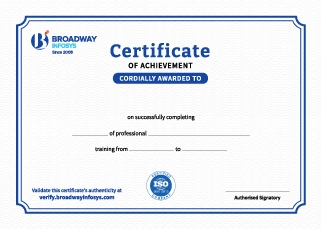
Already earned a certificate? Verify it here

Frequently Asked Questions

No prior professional experience is required. A basic understanding of computers and an interest in software testing or project management is recommended, allowing beginners and learners with some technical background to follow the training comfortably.

Yes. The course covers QA and software testing fundamentals from the beginning and gradually moves into practical testing, defect management, Agile methodologies, and project management concepts.

Yes. The training combines software quality assurance, software testing, Agile/Scrum, and project management, giving you an understanding of both the quality and delivery sides of software projects.

Yes. You will learn how to create test scenarios and test cases, execute tests, identify defects, perform regression testing, and document testing results.

Yes. You will learn practical Agile concepts including User Stories, Product Backlog, Sprint Planning, Daily Stand-ups, Sprint Reviews, and Retrospectives.

Yes. You will learn how AI tools can support test case generation, test documentation, defect analysis, reporting, project planning, and repetitive QA tasks.

Yes. You will get practical exposure to relevant tools used for test management, bug tracking, task management, collaboration, and project tracking, based on the course curriculum.

The training can help you prepare for roles such as QA Tester, Software Test Engineer, QA Analyst, Quality Assurance Engineer, Project Coordinator, Scrum-related roles, and other entry-level software quality or project management positions.

You’ll receive hands-on trainer guidance with testing exercises, QA documentation, defect reporting, Agile practices, project planning, tools, and practical project work.

Yes. Depending on your requirements, you can discuss suitable schedules with the training team. One-to-one training and group-based learning options may also be available.

Our course is available in hybrid training mode. You can attend classes in person or join online, whichever works best for you. If you cannot attend in person on a particular day, you can simply join the class online instead.

The course pricing varies depending on the subject and level. For detailed information on the course price, please contact us directly: +977-9841002000 / +977-1-4111849. Our team will be happy to guide you or send us an email at [email protected].

Our syllabus outlines are only the headlines of the major modules. To ensure a complete understanding of the course, we offer free counseling. Also, if you have specific modules in mind, you can customize the course. Send your inquiry today!

  • Quality Assurance vs. Quality Control vs. Software Testing
  • Role of a QA Engineer
  • Error, Defect, Bug, and Failure
  • Verification vs Validation
  • SDLC and STLC
  • Waterfall, Agile, V-Model, and Hybrid Models

  • Functional and Non-Functional Testing
  • Black Box, White Box, and Gray Box Testing
  • Unit, Integration, System, and Acceptance Testing
  • End-to-End Testing
  • Smoke, Sanity, Regression, and Retesting
  • Exploratory, Ad-hoc and Compatibility Testing

  • Equivalence Partitioning (EP)
  • Boundary Value Analysis (BVA)
  • Decision Table Testing
  • State Transition Testing
  • Error Guessing
  • Use Case Testing
  • Risk-Based Test Prioritization

  • Test Plan and Test Strategy
  • Test Scenarios and Test Cases
  • Test Data
  • Requirements Traceability Matrix (RTM)
  • Test Execution Report
  • Defect Report

  • Requirement Analysis
  • Test Planning and Test Design
  • Test Environment and Execution
  • Defect Life Cycle
  • Severity vs Priority
  • Retesting, Regression and Test Closure

  • ChatGPT and Gemini for Requirement Analysis
  • AI-Generated Test Scenarios and Test Cases
  • AI-Assisted BVA and EP
  • Generating Negative and Edge-Case Scenarios
  • AI-Assisted Bug Report Writing
  • Reviewing AI-Generated Output

  • Agile Principles
  • Agile vs Waterfall
  • Scrum Roles and Responsibilities
  • Sprint Planning and Daily Stand-up
  • Sprint Review and Retrospective
  • Product Backlog and Sprint Backlog

  • Epics, Stories, Tasks, Bugs and Subtasks
  • User Story Format
  • Acceptance Criteria
  • Definition of Ready (DoR)
  • Definition of Done (DoD)
  • Requirement Traceability

  • Jira Projects and Issues
  • Backlogs and Sprint Boards
  • Bug Creation and Tracking
  • Workflows and Statuses
  • Linking Bugs to Stories
  • Test Execution Tracking

  • BDD Fundamentals
  • BDD vs TDD
  • Gherkin Syntax
  • Feature and Scenario
  • Given, When, Then, And, and But
  • Scenario Outline and Examples

  • Risk Identification
  • Probability and Impact
  • Test Prioritization
  • Exploratory Testing
  • Session-Based Testing
  • Test Charters and Edge Cases

  • AI-Generated User Stories
  • AI-Assisted Acceptance Criteria
  • Converting Requirements into Gherkin
  • AI-Assisted Jira Bug Reports
  • AI-Assisted Test Prioritization
  • Reviewing AI-Generated Scenarios

  • Relational Databases
  • Tables, Rows and Columns
  • Primary and Foreign Keys
  • Database Relationships
  • Data Types and Constraints
  • NULL and Duplicate Values

  • SELECT, INSERT, UPDATE and DELETE
  • WHERE and ORDER BY
  • DISTINCT
  • AND, OR and NOT
  • IN, BETWEEN and LIKE
  • Filtering and Sorting Data

  • GROUP BY and HAVING
  • INNER JOIN and LEFT JOIN
  • Subqueries
  • Aggregate Functions
  • COUNT, SUM, AVG, MIN, and MAX
  • Querying Related Tables

  • CRUD Testing
  • Data Validation
  • Data Integrity
  • Referential Integrity
  • Constraint Testing
  • NULL and Duplicate Data Testing

  • Validate User Registration
  • Validate Login and User Records
  • Validate Orders and Payments
  • UI-to-Database Validation
  • API-to-Database Validation
  • Identify Data Mismatches

  • AI-Assisted SQL Query Generation
  • Explaining SQL Queries
  • Generating Test Data
  • Identifying Database Test Scenarios
  • Reviewing Query Logic
  • Validating AI-Generated SQL

  • API Concepts
  • Client-Server Architecture
  • REST APIs
  • Endpoints and Resources
  • Requests and Responses
  • JSON Structure

  • GET, POST, PUT, PATCH, and DELETE
  • HTTP Status Codes
  • Headers, Parameters, and Request Body
  • Authentication and Authorization
  • Cookies and Tokens
  • HTTP Request/Response Flow

  • Creating API Requests
  • Collections and Folders
  • Environment Variables
  • Headers and Parameters
  • Request Body
  • Authentication and Response Validation

  • Positive and Negative API Testing
  • Status Code Validation
  • Response Body Validation
  • Required and Optional Fields
  • Boundary and Invalid Data Testing
  • Basic Schema Validation

  • Chaining API Requests
  • API CRUD Validation
  • Authentication and Authorization Testing
  • API-to-Database Validation
  • Error Handling
  • Data Consistency

  • AI-Assisted API Test Case Generation
  • Understanding API Documentation
  • Generating Negative Test Scenarios
  • AI-Assisted Postman Test Scripts
  • Troubleshooting API Errors
  • Reviewing AI-Generated Assertions

  • Introduction to Selenium WebDriver
  • Introduction to Playwright
  • Selenium vs Playwright
  • Browser Automation Architecture
  • Browser, Page and Context Concepts
  • Chromium, Firefox and WebKit

  • Automation Environment Setup
  • Browser Configuration
  • Opening and Navigating Web Pages
  • Understanding the Test Runner
  • Writing the First Test
  • Running Tests and Reading Results

  • ID, Name, CSS, and XPath
  • Text, Role, and Label Locators
  • Click, Fill, and Select
  • Checkboxes and Radio Buttons
  • Web Element Assertions
  • Stable Locator Strategies

  • Implicit and Explicit Waits in Selenium
  • Auto-Waiting in Playwright
  • Element Visibility and State
  • Timeout Handling
  • Handling Dynamic Elements
  • Common Synchronization Problems

  • Alerts and Dialogs
  • Frames and Iframes
  • Multiple Tabs and Windows
  • Dropdowns
  • File Upload and Download
  • Screenshots and Evidence

  • Assertions and Validations
  • Positive and Negative Test Cases
  • Test Functions and Test Methods
  • Test Suites
  • Setup and Teardown
  • Test Execution and Failure Analysis

  • Framework Fundamentals
  • Page Object Model (POM)
  • Locators and Page Methods
  • Reusable Functions
  • Separating Test Logic from Page Logic
  • Configuration and Folder Structure

  • DDT Fundamentals
  • Separating Test Data from Test Logic
  • Parameterized Tests
  • Data Providers or Equivalent Mechanisms
  • Reading CSV and JSON
  • Positive, Negative and Boundary Data Sets

  • Gherkin Feature Files
  • Scenario and Scenario Outline
  • Step Definitions
  • Connecting Acceptance Criteria to Tests
  • Introduction to Cucumber or Equivalent BDD Tooling
  • BDD Automation Workflow

  • Debugging Failed Tests
  • Screenshots and Logs
  • Playwright Trace Viewer
  • Selenium Failure Analysis
  • HTML Reports
  • Introduction to Allure

  • Reusable Test Components
  • Test Isolation
  • Authentication State and Cookies
  • API and UI Test Integration
  • Parallel Execution Fundamentals
  • Cross-Browser Testing

  • AI-Assisted Script Generation
  • Converting Manual Test Cases into Automated Tests
  • AI-Assisted Locator Suggestions
  • Generating DDT Test Data
  • Debugging and Code Review with AI
  • Validating AI-Generated Automation

  • Native, mobile web, and hybrid applications
  • Android vs. iOS testing considerations
  • Mobile testing vs. desktop web testing
  • Real devices vs. emulators and simulators
  • Device models, OS versions, resolutions, and orientations

  • Installation, launch, upgrade, and uninstallation
  • Login, registration, and core user journeys
  • Screen rotation and orientation changes
  • Permissions and notification handling
  • Backgrounding and resuming the app

  • Device and OS compatibility
  • Network changes: Wi-Fi, mobile data, and offline behavior
  • Calls, notifications, and other interruptions
  • Battery, responsiveness, and resource considerations
  • Usability, accessibility, privacy, and basic security checks

  • Mobile automation concepts and Appium architecture
  • Appium setup overview
  • Preparing an Android emulator or connected device
  • Appium Inspector
  • Identifying and interacting with mobile elements

  • Mobile locators and element interactions
  • Tap, swipe, scroll, and long-press gestures
  • Waits and assertions
  • Organizing tests using a Screen Object or Page Object approach
  • Managing test data and configuration

  • Running tests on emulators and connected devices
  • Capturing screenshots, logs, and failure evidence
  • Troubleshooting failed mobile tests
  • Understanding device-farm/cloud testing options
  • Using AI to generate mobile test scenarios and assist with failure analysis

  • What Is Performance Testing?
  • Functional vs. Non-Functional Testing
  • Load Testing
  • Stress Testing
  • Spike Testing
  • Endurance Testing
  • Scalability and Capacity Testing

  • Response Time
  • Throughput
  • Concurrent Users
  • Requests per Second
  • Latency
  • Error Rate
  • Percentiles: p90, p95 and p99

  • JMeter Installation and Interface
  • Test Plan
  • Thread Group
  • Samplers
  • HTTP Request
  • Listeners and Results
  • Running a Basic Performance Test

  • Defining Performance Objectives
  • Simulating Virtual Users
  • Ramp-Up Period
  • Test Duration
  • Load Profiles
  • Testing Login and Search APIs
  • Identifying Bottlenecks

  • Analyzing Response Times
  • Throughput and Error Analysis
  • Reading JMeter Reports
  • Identifying Slow Endpoints
  • Basic Bottleneck Investigation
  • Comparing Results with Acceptance Criteria

  • AI-Assisted JMeter Test Planning
  • Generating Performance Test Scenarios
  • Understanding JMeter Errors
  • Summarizing Performance Reports
  • Identifying Potential Bottlenecks from Evidence
  • Reviewing Performance Recommendations

  • Version Control Fundamentals
  • Repositories and Cloning
  • Branching
  • Commit and Push
  • Pull and Merge
  • Pull Requests

  • Continuous Integration
  • Continuous Delivery and Deployment
  • CI/CD Pipeline Concepts
  • Automated Test Execution
  • Build Triggers
  • Automation in Development Workflows

  • Jenkins Introduction
  • Jobs and Pipelines
  • GitHub Integration
  • Installing Dependencies
  • Running Selenium and Playwright Tests
  • Publishing Test Results

  • Test Execution Reports
  • Failure Evidence
  • Screenshots and Logs
  • HTML Reports
  • Introduction to Allure
  • Test Result Analysis

  • Headed vs Headless Browsers
  • Headless Execution with Selenium
  • Headless Execution with Playwright
  • Running Tests in CI/CD
  • Capturing Screenshots and Logs
  • Debugging Headless Failures
  • Cross-Browser Execution
  • QA Career Roadmap

  • Introduction to Basic Role
  • Effective Communication Techniques
  • Estimating Techniques using PERT & CPM

  • MindMap
  • JIRA
  • HipChat
  • Confluence Slack
  • Trello
Upcoming Classes (7)
17 Nov 2026
22 Nov 2026
23 Nov 2026
25 Nov 2026
29 Nov 2026
30 Nov 2026
06 Dec 2026
Upcoming Classes (7)
17 Nov 2026
22 Nov 2026
23 Nov 2026
25 Nov 2026
29 Nov 2026
30 Nov 2026
06 Dec 2026

Why QA & PM Training?

Quality Assurance Skills: Learn software testing and QA practices to build reliable, high-quality applications.
Project Management: Understand project planning, tracking, testing, and delivery processes.
Industry Tools & Practices: Gain hands-on experience with commonly used QA and project management tools.
Practical Team Projects: Work on real-world team projects to apply your skills and assess your learning.
Modern Training Labs: Practice in well-equipped labs with access to current technology and tools.
Industry Expert Sessions: Learn from experienced professionals through guest lectures and practical insights.
Quick Inquiry

Choose class schedule(s)

  • 17 Nov 2026
  • 22 Nov 2026
  • 23 Nov 2026
  • 25 Nov 2026
  • 29 Nov 2026
  • 30 Nov 2026
  • 06 Dec 2026