Dashain 2083 Holiday Notice!
QuickBooks Training
Accounting Software Training in Kathmandu, Nepal




Thousands of students have started their careers after getting certified by Broadway Infosys
Updated On: 16/07/2026
Created On: 05/09/2017
Course Overview
Broadway Infosys provides the job-oriented QuickBooks training in Nepal. QuickBooks has been a leading accounting and payroll software for small to medium businesses for many years in different countries like Europe, USA, India and others due to its powerful, yet user-friendly features.
This software has also attracted and made its space in Nepalese market/organizations. Most of the NGOs and INGOs are also found to be gaining smoothness and efficiency in its accounting work through its usage. We have designed an international standard course for QuickBooks training in Nepal to help students learn to easily use the application to perform all the basic accounting procedures from running payroll to tracking income and expenses and putting together financial reporting packages. Learn QuickBooks training in Nepal from experienced and talented instructors at Broadway Infosys, and take the benefits it offers.
Tools Covered
Some of the major industry-relevant tools you'll work with in this course include:
-
QuickBooks
-
Microsoft Excel
-
Tally Prime
What Our Students Say About QuickBooks Training

Ms. Kabita Neupane
QuickBooks Training
I feel satisfied with my instructor and Broadway Infosys. He taught in a simple way to learn quickly.

Mr. Dhiraj Kumar Shah
QuickBooks Training
I recently completed QuickBooks training from Broadway Infosys. The instructor was very supportive and explained the concepts clearly with real-life examples. It was a great learning experience that helped improve my confidence and professional abilities. I am grateful to the...

Ms. Bindu Bhusal
QuickBooks Training
I recently completed my QuickBooks class and had a wonderful experience. The teacher was very knowledgeable and clearly understood the material he was teaching. I’m happy with what I learned and would recommend the class to others.
Students who got hired learning with us
Hear from graduates who have completed our courses.
College/Faculty: Himalaya College of Engineering / B.E. in Computer Engineering
Working At: Broadway Infosys
Position: UI/UX Design Intern
College/Faculty: Bhaktapur Multiple Campus / Bachelors In Information Technology
Working At: Smart Sarks
Position: UI/UX Intern
College/Faculty: Little Star Secondary English School / Management
Working At: Giftmandu
Position: Graphics Designer
College/Faculty: Nepal Engineering College / Computer Science
Working At: Omnicom Media Group
Position: Jr. Dot Net Developer
Our graduates are hired by 470+ companies in Nepal
Time for you to be the next hire. With our advanced and industry relevant courses, you are on the right stage to start your dream career.

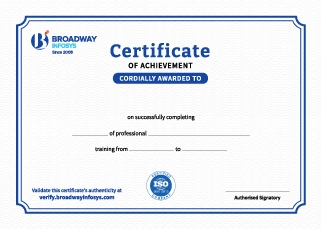
Earn a High Value Industry Certificate
Add this credential to your LinkedIn profile, resume, or CV to stand out to recruiters.
Already earned a certificate?
Verify it here
Frequently Asked Questions
No prior professional QuickBooks experience is required. A basic understanding of accounting, bookkeeping, and computer skills is helpful, allowing beginners and accounting professionals to follow the training comfortably.
Yes. The training starts with QuickBooks fundamentals and gradually covers practical accounting tasks, making it suitable for beginners, students, business owners, and accounting professionals.
You will learn how to manage company accounts, record transactions, create invoices and bills, manage customers and vendors, reconcile accounts, handle payroll, and generate financial reports using QuickBooks.
Yes. You will practice recording sales, purchases, expenses, payments, receipts, and other financial transactions to understand how day-to-day bookkeeping is handled in QuickBooks.
Yes. You will learn how to create and manage invoices, estimates, bills, payments, receipts, customers, and vendor records efficiently.
Yes. You will learn how to reconcile bank accounts, identify discrepancies, and maintain accurate financial records using QuickBooks.
Yes. You will learn to generate and understand reports such as Profit & Loss, Balance Sheet, Cash Flow, Accounts Receivable, Accounts Payable, and other business reports.
Yes, where applicable to the course curriculum, you will learn the fundamentals of payroll processing, employee records, salary calculations, and payroll-related reporting.
Yes. The training introduces tax and VAT-related accounting workflows and how relevant tax information can be recorded and managed within accounting processes.
Yes. Modern QuickBooks versions include automation and AI-powered features that can assist with tasks such as transaction categorization, data entry, insights, and financial workflows. The training can introduce relevant features based on the version being used.
Yes. By practicing common accounting workflows in QuickBooks, you can develop practical skills relevant to accounting, bookkeeping, finance, and business administration roles.
You will be able to manage company accounts, record transactions, create invoices and bills, reconcile accounts, manage financial data, generate reports, and perform everyday bookkeeping tasks using QuickBooks.
The training is useful for students, accountants, bookkeepers, finance professionals, business owners, entrepreneurs, and working professionals who want to improve their accounting software skills.
You’ll receive hands-on guidance from trainers throughout the course, including support with QuickBooks setup, bookkeeping, transactions, reconciliation, reports, practical exercises, and accounting tasks.
Yes. Depending on your requirements, you can discuss suitable schedules with the training team. One-to-one training and group-based learning options may also be available.
Our course is available in hybrid training mode. You can attend classes in person or join online, whichever works best for you. If you cannot attend in person on a particular day, you can simply join the class online instead.
The course pricing varies depending on the subject and level. For detailed information on the course price, please contact us directly: +977-9841002000 / +977-1-4111849. Our team will be happy to guide you or send us an email at [email protected].
Our syllabus outlines are only the headlines of the major modules. To ensure a complete understanding of the course, we offer free counseling. Also, if you have specific modules in mind, you can customize the course. Send your inquiry today!
Lesson 1: QuickBooks online
- Opening QuickBooks
- Creating a Company File
- Modifying Company Info
- Set up your users and passwords
- Review and/or change the preferences that QuickBooks set
- Set up or edit the accounts in your chart of accounts
- Create a journal entry to specify accounts’ opening balances
- The Home Page
- The Company Snapshot
- Your Financial Calendar
- Menus and the Icon Bars
- Switching Among Open Windows
- Acquiring a Chart of Accounts.
- Planning the Chart of Accounts.
- Creating Accounts and Subaccounts.
- Modifying Accounts.
- Hiding and Deleting Accounts
- Merging Accounts.
- Creating Customers in QuickBooks
- Modifying Customer Information
- Merging Customer Records
- Hiding and Deleting Customers
- Setting up Vendors
- What Items Do
- When You Don’t Need Items
- Should You Track Inventory with Items?
- Planning Your Items
- Creating Items
- Service Items
- Product Items
- Other Types of Items
- Setting up Sales Tax
- Modifying Items
- Hiding and Deleting Items
- Switching Between Multi- and Single-User Mode
- Backing up Files
- Restoring Backups
- Sending Company Files to Others
- Verifying Your QuickBooks Data
- Condensing Data
- Cleaning Up after Deleting Files
- When to Pay Expenses
- Entering Bills
- Automating Recurring Bills
- Purchasing Inventory
- Handling Reimbursable Expenses
- Recording Vendor Refunds and Credits
- Paying Your Bills
- Producing Checks
- Writing Checks without Entering Bills
- Paying with Cash
- Paying with Credit Cards
- Running Expense-Related Reports
- Paying Sales Tax
- Choosing the Right Type of Form
- Sales Forms and Accounts
- Creating Invoices
- Creating Batch Invoices
- Handling Refunds and Credits
- Editing Invoices
- Voiding and Deleting Invoices
- Producing Statements
- Generating Statements
- Importing bank statements
- Add and Match Features
- Bank Rules
- Reconciling Bank
- Creating Reconciliation Reports
- Printing Sales Forms
- Emailing Sales Forms
- Memorized Transactions
- Finding Transactions
- Receivables Aging
- Receiving Payments for Invoiced Income
- Applying Credits to Invoices
- Discounting for Early Payment
- "Deposits, Down Payments, and Retainers"
- Applying Finance Charges
- Cash Sales
- Making Deposits
- Bank Accounts and Petty Cash
- Entering Transactions in an Account Register
- Transferring Funds
- Reconciling Accounts
- Managing Loans
- Tracking Petty Cash
- Making Journal Entries
- Balancing Debit and Credit Amounts
- Some Reasons to Use Journal Entries
- Creating General Journal Entries
- Checking General Journal Entries
- Reclassifications and Corrections
- Recording Depreciation with Journal Entries
- Types of Budgets
- Ways to Build Budgets
- Creating Budgets in QuickBooks
- Running Budget VS Actual Report
- The Profit & Loss Report
- The Balance Sheet
- The Statement of Cash Flows
- Other Helpful Financial Reports
- Viewing Your Trial Balance
- Generating Year-End Financial Reports
- Generating Tax Reports
- Finding the Right Reports
- Running Reports
- Printing and Saving Reports
- Customizing Reports
- Memorizing Reports
Lesson 2: Excel Training
- Set file properties
- Define custom properties
- Add a button to the Quick Access Toolbar
- Customize the Ribbon
- Change default number of worksheets, fonts and default view in the workbook
- Protect Workbook
- Protect Sheet
- Set a password for a workbook
- Saving a worksheet as a PDF file
- Essential Worksheet Operation
- Creating a new workbook is a straightforward process
- Rename a worksheet
- Copy a worksheet to another workbook
- Change the order of worksheets in a workbook
- Hide a worksheet
- Unhide a worksheet
- Make a sheet very hidden
- Delete a worksheet
- Change a row's height or column's width
- Insert a column or row
- Delete a column or row
- Hide a column or row
- Unhide a column or row
- Insert a cell
- Delete a cell
- Move a group of cells to a new location
- Zoom in or out to a specific zoom level
- Change to another open workbook
- Arrange all open workbooks in the program window
- Display copies of the same workbook
- Activate a worksheet
- Change the color of a sheet tab
- Working with Data
- Selecting Ranges
- Selecting special types of cells
- Placing Information into multiple cells simultaneously
- Check spelling
- Using AutoCorrect for shorthand data entry
- Hiding or grouping rows and columns
- Entering numbers with fractions
- Formatting numbers
- Formatting numbers using the Format Cells dialogue box
- Changing text alignment
- Conditional Formatting
- Creating Formats on the basis of Data
- Setting rules for Conditional formats
- Formulas and Functions
- Basic principles of using functions and formula
- Practice with Basic calculations
- Creating Reference and absolute cells in using Formula

Manual Accounting Training

Tally Training
Income Tax Vat Training

Advanced Excel

SPSS Training

Stata Training in Nepal
Upcoming Classes (6)
Why QuickBooks Training?
Practical Accounting Skill: Learn QuickBooks to manage business finances, transactions, and accounting records efficiently.
Complete Bookkeeping: Work with invoices, expenses, payments, payroll, bank reconciliation, and financial reports.
Real-World Accounting: Practice handling common accounting tasks using practical business scenarios.
Career-Ready Skills: Build useful QuickBooks knowledge for accounting, bookkeeping, finance, and administrative roles.
Business Reporting: Learn to organize financial data and generate reports for better financial management.
Experienced Instructors: Learn QuickBooks from highly experienced instructors with practical knowledge of accounting and bookkeeping.
Career Preparation: Develop practical QuickBooks and accounting skills to stay competitive in today’s accounting job market.
Quick Inquiry
Choose class schedule(s)
-
26 Oct 2026
-
27 Oct 2026
-
02 Nov 2026
-
16 Nov 2026
-
23 Nov 2026
-
24 Nov 2026