Dashain 2083 Holiday Notice!

AI For Everyone
AI for Everyone with Generative AI & Prompt Engineering




Thousands of students have started their careers after getting certified by Broadway Infosys
Updated On: 10/09/2026
Created On: 05/05/2025
Course Overview
Mastering AI Through Prompting is fast becoming one of the most valuable skills in today's AI-powered world. As AI works its way into every industry, knowing how to write effective prompts directing AI with precision, instead of just using it, is what separates generic output from professional-grade work.
AI for Everyone with Prompt Engineering at Broadway Infosys is a hands-on course for beginners, content creators, marketers, students, and professionals ready to learn prompting as a real skill, no prior background needed. You'll go from AI basics to advanced techniques like zero-shot, few-shot, persona-based, and chain-of-thought prompting, working hands-on with tools like ChatGPT, Claude, Gemini, Midjourney, Canva AI, and ElevenLabs to create blog posts, ad copy, graphics, voiceovers, videos, and slide decks.
The course also covers AI-assisted research and responsible AI use (bias, copyright, plagiarism, privacy), and ends with a capstone project where you run a full content campaign.
By the end, you'll confidently use AI across text, image, audio, video, and presentation, with a portfolio and prompt library to show for it.
What Our Students Say About AI For Everyone Training

Ms. Roshika Bajracharya
AI For Everyone
Completing the AI for Everyone workshop was a great learning experience. The session gave me a clear understanding of current market-trending AI tools and how they can be effectively used in real work scenarios. The key takeaways and action points...

Ms. Chandani Khanal
AI For Everyone
I recently completed the two day 'AI for Everyone' training, and it was an incredibly insightful experience. The program broke down complex concepts into simple, practical lessons that made AI feel approachable and relevant to everyday work. In just two...

Ms. Shreeya Tamrakar
AI For Everyone
The AI workshop was extremely valuable for me. The sessions were practical, well-structured, and easy to understand. It has helped me significantly improve my daily workflow, especially in maintaining proper records and analyzing data more efficiently. Our Instructor's hands-on approach and...
Students who got hired learning with us
Hear from graduates who have completed our courses.
College/Faculty: Tribhuvan University / Bachelor of Arts
Working At: Real Story Time
Position: Program Host
College/Faculty: NIST College / Bsc.Csit
Working At: Broadway Infosys
Position: QA Instructor
College/Faculty: Herald College Kathmandu / BIT
Working At: Access System Nepal
Position: Jr. Software Developer
College/Faculty: New Horizon College / Science
Working At: Technergy Global Pvt. Ltd.
Position: Full-Stack Developer
Our graduates are hired by 470+ companies in Nepal
Time for you to be the next hire. With our advanced and industry relevant courses, you are on the right stage to start your dream career.

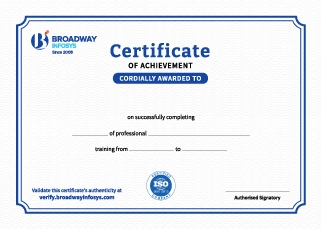
Earn a High Value Industry Certificate
Add this credential to your LinkedIn profile, resume, or CV to stand out to recruiters.
Already earned a certificate?
Verify it here
Frequently Asked Questions
No prior AI experience is required. Basic computer knowledge and an interest in Artificial Intelligence are enough to get started.
Yes. The course is designed to introduce AI concepts from the basics, making it suitable for beginners and learners from non-technical backgrounds.
You will learn the fundamentals of Artificial Intelligence, including AI concepts, Machine Learning basics, Generative AI, Large Language Models (LLMs), AI applications, and current AI technologies.
You will understand how Artificial Intelligence, Machine Learning, Deep Learning, and Generative AI are related, how they differ, and where each technology is commonly used
Yes. The training provides an understanding of commonly used AI tools and how they can be applied to improve productivity, content creation, research, automation, and other tasks.
No. Programming experience is not mandatory for learning the fundamentals of AI. The course focuses on building a clear understanding of AI concepts and applications.
You will have a strong foundation in AI concepts, understand major AI technologies, use relevant AI tools, and identify practical ways to apply AI in your work or projects.
You will receive guidance from trainers throughout the course, including support with practical activities, AI tools, concepts, and questions related to the training.
Yes. Depending on your requirements, you can discuss suitable schedules with the training team. One-to-one training and group-based learning options may also be available.
Our course is available in hybrid training mode. You can attend classes in person or join online, whichever works best for you. If you cannot attend in person on a particular day, you can simply join the class online instead.
Yes. Depending on your requirements, you can discuss suitable schedules with the training team. One-to-one training and group-based learning options may also be available.
The course pricing varies depending on the subject and level. For detailed information on the course price, please contact us directly: +977-9841002000 / +977-1-4111849. Our team will be happy to guide you or send us an email at [email protected].
Our syllabus outlines are only the headlines of the major modules. To ensure a complete understanding of the course, we offer free counseling. Also, if you have specific modules in mind, you can customize the course. Send your inquiry today!
Lesson 1: Understanding Artificial Intelligence - Origins and Foundations
- Define AI in plain terms and separate it from science-fiction myths
- Distinguish AI from related terms like machine learning, deep learning, and automation
- Identify examples of AI systems they already interact with daily
- Recognize the difference between "intelligent behavior" and "true understanding" in machines
- Trace key milestones from the Turing Test to modern generative AI
- Understand what caused the "AI winters" and why AI research stalled at times
- Identify the breakthroughs (data, computing power, deep learning) that triggered today's AI boom
- Connect historical developments to the tools they will use in this course
- Differentiate Narrow AI (ANI), General AI (AGI), and Super AI (ASI)
- Explain why all AI in use today is Narrow AI, including generative tools
- Understand what "generative" means in the context of AI-produced content
- Evaluate realistic expectations versus hype around AGI
- Explain, in non-technical terms, how LLMs predict and generate text
- Understand core concepts like training data, parameters, and tokens
- Recognize why LLMs can be confident and wrong at the same time (hallucination)
- Grasp why the same prompt can produce different outputs across models or runs
- Identify real-world AI applications across at least four industries
- Understand how AI is changing job roles rather than only replacing them
- Recognize opportunities where prompting skills apply directly to their own field
- Evaluate both the benefits and risks of AI adoption in these sectors
Hands-On Exercise: In pairs, list five AI tools already use (knowingly or not) in daily life or work. For each, classify it as Narrow AI, and identify whether it is generative or non-generative.
Lesson 2: Mastering the Art and Science of Prompting
- Break down a prompt into its core components (instruction, context, input, output cue)
- Observe how small wording changes alter AI responses
- Understand why vague prompts produce vague or generic results
- Recognize the difference between a prompt and a well-engineered prompt
- Identify the essential elements: clarity, context, constraints, and examples
- Learn to specify tone, audience, and format within a prompt
- Practice writing prompts that reduce ambiguity
- Evaluate prompts against a quality checklist
- Understand what tokens are and how text is measured by the model
- Learn what a context window is and why it limits conversation length
- Recognize symptoms of exceeding a context window (forgetting, truncation)
- Apply strategies to write token-efficient prompts
- Define zero-shot, one-shot, and few-shot prompting
- Identify which approach suits a given task
- Practice converting a zero-shot prompt into a few-shot prompt
- Evaluate trade-offs between prompt length and output quality
- Understand how assigning a role or persona shapes tone and expertise level
- Practice writing persona-based prompts for different professional contexts
- Recognize the limits of persona prompting (it shapes style, not factual accuracy)
- Combine persona with audience targeting for sharper outputs
- Understand what chain-of-thought prompting is and why it improves reasoning tasks
- Practice asking the AI to "think step by step" before answering
- Identify tasks where chain-of-thought helps versus where it adds no value
- Compare direct-answer prompts against step-by-step prompts on the same task
- Request structured outputs like tables, JSON, bullet lists, and headers
- Use conditional instructions ("if X, do Y; otherwise do Z") within prompts
- Understand how structure improves consistency and reusability of AI output
- Practice combining formatting instructions with content instructions
- Understand prompting as an iterative process, not a one-shot task
- Practice A/B comparing two prompt versions for the same goal
- Learn to diagnose why an output failed and adjust the prompt accordingly
- Build a habit of saving and versioning effective prompts
- Recognize prompt injection and manipulation risks
- Understand why sensitive or confidential data should not be pasted into prompts
- Learn basic techniques to reduce hallucinated or unreliable outputs
- Identify red flags that indicate an AI response needs verification
- Understand what prompt chaining is and why complex tasks need it
- Practice breaking a large task into a sequence of smaller prompts
- Recognize how outputs from one prompt can feed into the next
- Explore simple automation concepts (without needing to code)
- Understand the value of maintaining a personal library of reusable prompts
- Practice organizing prompts by category (writing, research, design, etc.)
- Learn to template prompts with placeholders for reuse
- Begin building their own prompt lexicon to use throughout the rest of the course
Hands-On Exercise: Choose one everyday task (e.g., writing a product description). Write three versions of a prompt for it - zero-shot, few-shot, and persona-based with chain-of-thought - run all three, and submit a short comparison of the outputs along with your reasoning for which performed best.
Lesson 3: Crafting Written Content Through AI Collaboration
- Identify leading AI writing tools and their strengths and limitations
- Compare free-tier versus paid capabilities across tools
- Understand which tool suits which type of writing task
- Recognize how outputs differ across tools given the same prompt
- Structure prompts that generate a coherent long-form outline
- Specify tone, depth, and target reader within a writing prompt
- Practice prompting for introductions, body sections, and conclusions separately
- Learn to prompt for SEO-aware blog content
- Write prompts that generate persuasive, benefit-focused copy
- Specify brand voice, tone, and word-count constraints in prompts
- Practice generating multiple ad variations for A/B testing
- Learn to prompt for different platforms (social ads, email, landing pages)
- Write prompts that establish character, setting, and narrative tone
- Practice guiding plot structure and pacing through prompts
- Explore prompting for different creative formats (dialogue, verse, screenplay)
- Recognize the balance between creative freedom and prompt control
- Write prompts for clear, professional business emails
- Structure prompts for formal reports with sections and summaries
- Practice adjusting tone for different professional contexts (formal, friendly, apologetic)
- Learn to prompt for concise executive summaries
- Practice prompting the AI to revise for tone, length, or clarity
- Learn techniques to make AI text sound more human and personal
- Identify common signs of generic AI writing and how to prompt around them
- Develop a workflow for editing AI drafts into a finished piece
Hands-On Exercise: Pick a real writing task from your own work or studies (a blog post, product description, or email). Draft it using at least three different prompting techniques from this lesson, then revise the best version through a two-round refinement loop, submitting the original prompt, output, and final edited piece.
Lesson 4: Generating Visual Content with AI
- Identify leading AI image generation tools and their typical use cases
- Compare strengths in photorealism, illustration, and design across tools
- Understand licensing and commercial-use considerations for generated images
- Recognize free-tier limitations students will work within
- Structure prompts using subject, style, lighting, and composition descriptors
- Practice specifying camera angles, lens types, and mood in prompts
- Learn keyword techniques that push outputs toward realism or artistic styles
- Recognize how prompt order and specificity affect image results
- Write prompts that capture brand identity, simplicity, and scalability
- Practice specifying color palettes and style references in prompts
- Understand the limitations of AI tools for vector-based, print-ready logos
- Learn to iterate a logo concept through successive prompts
- Write prompts tailored to platform-specific formats and aspect ratios
- Practice prompting for consistent visual style across a content series
- Learn to incorporate text-safe zones and layout considerations in prompts
- Explore prompting for illustrative versus photographic styles
- Practice using follow-up prompts to modify an existing generated image
- Understand style transfer and how to apply a reference style to new content
- Learn techniques for fixing common AI image errors through prompting
- Build an iterative workflow from rough concept to polished visual
Hands-On Exercise: Choose a fictional or personal brand. Generate a logo concept, one photorealistic image, and one social media graphic for it using at least two different tools. Refine one of the three through at least two rounds of iterative prompting, and submit the prompt history alongside the final visuals.
Lesson 5: Designing Presentations Through Prompt-Driven Workflows
- Identify leading AI presentation tools and how they generate slides from prompts
- Compare tools based on design flexibility, templates, and export options
- Understand where AI-generated decks still need manual polishing
- Recognize free-tier limits relevant to student use
- Write prompts that generate a logical slide-by-slide outline from a topic
- Practice specifying audience, purpose, and desired number of slides
- Learn to prompt for narrative flow (problem → solution → call to action)
- Adjust prompts to control depth of detail per slide
- Write prompts specifying color themes, fonts, and visual tone
- Practice prompting for consistent branding across a deck
- Learn to request specific slide layouts (comparison, timeline, quote, etc.)
- Understand how to prompt for accessibility-friendly design choices
- Practice prompting for slides that integrate charts, images, and text together
- Learn to describe data visually so the AI generates an appropriate chart type
- Understand how to prompt for image placement alongside key messages
- Build a workflow for assembling a cohesive multi-element slide
Hands-On Exercise: Using a topic of your choice, prompt an AI presentation tool to generate a 6–8 slide deck outline, then refine two slides to include a themed visual layout and one data visualization. Submit the deck along with the sequence of prompts used to build it.
Lesson 6: Producing Audio and Voice Content with AI
- Identify leading text-to-speech, music generation, and voice cloning tools
- Compare tools by voice naturalness, language support, and licensing terms
- Understand ethical and legal considerations around synthetic voices
- Recognize free-tier limitations for student experimentation
- Write prompts/scripts that specify tone, pacing, and emotion for voiceovers
- Practice formatting text with pauses and emphasis cues for natural delivery
- Learn to match voice style to content type (narration, ad, tutorial)
- Evaluate output quality and identify when a re-prompt is needed
- Write prompts describing genre, mood, tempo, and instrumentation
- Practice generating short background scores suited to a piece of content
- Learn to prompt for specific sound effects using descriptive language
- Understand copyright basics for AI-generated music
- Understand how voice cloning technology works at a conceptual level
- Learn the consent and ethical requirements before cloning any voice
- Practice writing prompts to adjust a cloned voice's tone or emotion
- Recognize responsible-use boundaries for voice cloning tools
Hands-On Exercise: Write a 30-second script for a product or brand, then generate a voiceover using an AI text-to-speech tool with a specific tone and pacing. Pair it with a short AI-generated background score matching the mood, and submit both audio files with the prompts used.
Lesson 7: Bringing Ideas to Life Through AI Video Creation
- Identify leading text-to-video and AI video editing tools
- Compare tools by clip length, resolution, and style capabilities
- Understand current limitations of AI video generation (consistency, length)
- Recognize free-tier constraints relevant to coursework
- Practice breaking a script into individual scene-level prompts
- Learn to describe setting, characters, and action clearly for each scene
- Understand how to maintain visual consistency across multiple scenes
- Recognize when a scene needs to be split or simplified for better results
- Write prompts that specify camera angles, movement, and framing
- Practice describing pacing and transitions within a prompt
- Learn to control mood and lighting through descriptive language
- Evaluate generated clips against the intended creative direction
- Understand how to chain prompts across script, voice, and video generation stages
- Practice aligning voiceover timing with generated video scenes
- Learn a basic workflow for assembling a short multi-scene video
- Identify where manual editing is still needed to tie AI outputs together
Hands-On Exercise: Write a short 3-scene script, then generate a video clip for each scene using prompt chaining (script → scene prompt → video). Pair the clips with a voiceover generated in Lesson 6 style, and submit the assembled short video along with your full prompt chain.
Lesson 8: Conducting Research and Synthesizing Information with AI
- Identify leading AI research and summarization tools
- Compare tools based on source transparency and citation ability
- Understand the difference between general chat models and dedicated research tools
- Recognize free-tier limitations for research-focused tasks
- Write prompts that generate accurate, concise summaries of long sources
- Practice specifying summary length, tone, and focus area
- Learn to prompt for comparative summaries across multiple sources
- Recognize when a summary has dropped important nuance
- Write prompts that extract specific data points into structured formats
- Practice requesting tables, lists, or structured JSON from unstructured text
- Learn to prompt for categorization and tagging of extracted information
- Understand strategies for handling large documents within context limits
- Understand why AI research output must always be independently verified
- Practice prompting the AI to cite sources or flag uncertain claims
- Learn manual cross-checking techniques against primary sources
- Recognize common hallucination patterns in research-style outputs
Hands-On Exercise: Select a topic and three source articles. Use AI prompts to summarize each source, extract key data into a structured table, and produce a comparative synthesis. Then manually fact-check three claims from the AI output against the original sources and note any discrepancies found.
Lesson 9: Practicing Responsible and Ethical AI Use
- Explain how bias enters AI systems through training data and design choices
- Identify examples of AI hallucination and their real-world consequences
- Understand the current limitations of AI reasoning and knowledge
- Learn practical habits to catch and correct biased or false outputs
- Understand the current legal landscape around AI-generated content ownership
- Recognize copyright risks when using AI-generated text, images, or media commercially
- Learn how to check licensing terms of the AI tools they use
- Identify best practices for attributing or disclosing AI involvement
- Understand what constitutes plagiarism when using AI-generated content
- Learn disclosure practices for academic, professional, and creative contexts
- Practice rewriting AI output to ensure originality where required
- Recognize institutional or platform policies around AI use disclosure
- Identify what types of information should never be entered into AI prompts
- Understand how prompt data may be stored, used, or reviewed by providers
- Learn to configure privacy settings across common AI tools
- Build a personal checklist for safe prompting at work or school
- Understand the purpose and scope of major global AI ethics frameworks
- Identify key principles shared across UNESCO and other responsible-AI guidelines
- Recognize how these guidelines apply to everyday prompting decisions
- Reflect on personal and organizational responsibility in AI adoption
Hands-On Exercise: Take one piece of AI-generated content you created earlier in the course. Write a short responsible-use audit for it covering: potential bias, copyright/ownership risk, disclosure needs, and privacy concerns - then revise the content or your workflow to address at least one identified issue.
Lesson 10: Capstone Project and Portfolio Development
- Design a cohesive campaign concept spanning at least three content formats (text, image, audio, video, or slides)
- Practice sequencing prompts across formats to maintain a consistent theme and brand voice
- Learn to allocate scope realistically within project time constraints
- Apply responsible-AI checks throughout the planning process
- Build a structured prompt log documenting each step of the campaign
- Practice explaining design and prompting decisions clearly for a portfolio audience
- Learn to present before/after iterations to show refinement skill
- Compile a final portfolio piece demonstrating range across the tools covered in the course
Hands-On Exercise (Capstone): Individually or in small groups, plan and produce a multi-format content campaign (e.g., a product launch or awareness campaign) using at least three tools/formats from Lessons 3–7. Submit the final assets alongside a complete prompt log and a short presentation explaining your process, choices, and any responsible-use considerations you addressed.


Prompt Engineering Training
 New
New
Agentic AI Training




Graphics Design Training

Why AI For Everyone?
One Skill, Every Format: Master prompting once, apply it across text, image, audio, video, and presentations
Real Tools, Real Practice: Work hands-on with leading AI platforms used across the industry today.
Beyond Basic Prompts: Learn zero-shot, few-shot, persona, and chain-of-thought techniques for professional-grade results.
Portfolio, Not Just Practice: Build real work through every lesson, ending in a multi-format capstone campaign.
Responsible by Design: Learn to navigate bias, copyright, and privacy, so your skills are safe to use professionally.
Taught by Experienced Instructors: Learn from instructors with real hands-on development experience, not just theoretical AI knowledge.