Dashain 2083 Holiday Notice!
New
Vibe Coding with AI
Learn Smarter, Build Faster with AI Tools - Vibe Coding with AI in Kathmandu, Nepal




Thousands of students have started their careers after getting certified by Broadway Infosys
Updated On: 17/07/2026
Created On: 22/05/2026
Course Overview
The best developers don’t just write code. They know how to think, adapt, and build faster than everyone else.
Vibe Coding with Claude AI is a hands-on training program designed for the AI era. This isn’t about replacing your skills. It’s about multiplying them.
At Broadway Infosys, you’ll learn how to turn ideas into real applications using Claude AI, even if you’re a complete beginner with no coding background. By the end of the course, you’ll build real-world projects including a fully authenticated REST API, polished front-end apps, automated workflows, and production-ready systems powered by AI.
You’ll go from understanding how large language models actually work to using Claude Code like a powerful development partner. Along the way, you’ll learn prompting, custom commands, intelligent automation, multi-agent workflows, scalable architecture, and the Model Context Protocol to connect AI with external tools.
Every lesson is practical. Every concept leads to something real.
Whether you’re an experienced developer or just getting started, this course gives you the mindset, speed, and confidence to build in the age of AI.
Tools Covered
Some of the major industry-relevant tools you'll work with in this course include:
-
Claude
-
VS Code
-
Node.js
-
npm
-
Git
-
GitHub
-
React
-
Tailwind CSS
-
Zustand
-
Redux Toolkit
Students who got hired learning with us
Hear from graduates who have completed our courses.
College/Faculty: Birgunj Institute of Technology / Diploma in computer engineering
Working At: Neputer Tech Pvt Ltd
Position: Front-End Web Developer
College/Faculty: Janajyoti Multiple Campus / BCA
Working At: Mutex Tech. Pvt. Ltd.
Position: Front-End Web Developer
College/Faculty: Padma Kanya Multiple Campus / Bachelor’s of Information Technology
Working At: Acme Smart Technology Pvt. Ltd.
Position: Junior C # Developer
College/Faculty: Texas International College / Bsc.CSIT
Working At: YenyaSoft Private Limited
Position: React Developer
Our graduates are hired by 470+ companies in Nepal
Time for you to be the next hire. With our advanced and industry relevant courses, you are on the right stage to start your dream career.

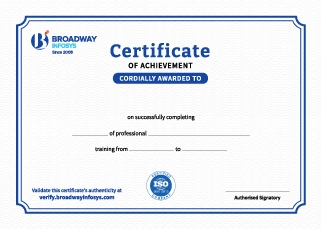
Earn a High Value Industry Certificate
Add this credential to your LinkedIn profile, resume, or CV to stand out to recruiters.
Already earned a certificate?
Verify it here
Frequently Asked Questions
Basic knowledge of programming and web development can be helpful, but advanced coding experience is not required. Anyone interested in building applications with AI-assisted coding can join.
Yes. The training introduces AI-assisted coding concepts step by step, making it suitable for beginners as well as developers who want to improve their development workflow using AI.
You will get practical exposure to relevant AI-powered coding tools and platforms that can assist with code generation, debugging, application development, and workflow automation.
Yes. AI coding tools can generate and modify code based on your instructions, allowing you to focus more on defining requirements, reviewing outputs, testing, and improving the application.
Yes. You will learn how to communicate requirements clearly with AI coding tools and refine prompts to generate more accurate and useful code.
Yes. You will learn how to review AI-generated code, identify errors, debug applications, and refine the output to create more reliable solutions.
You will be able to use AI coding tools to accelerate development, generate and modify code, debug applications, build projects, and integrate AI into your software development workflow.
No. AI can accelerate coding, but understanding programming fundamentals remains important for reviewing, debugging, securing, and maintaining AI-generated code.
You will receive guidance from trainers throughout the course, including support with AI coding tools, prompts, practical exercises, projects, and technical concepts.
Yes. Depending on your requirements, you can discuss suitable schedules with the training team. One-to-one training and group-based learning options may also be available.
Our course is available in hybrid training mode. You can attend classes in person or join online, whichever works best for you. If you cannot attend in person on a particular day, you can simply join the class online instead.
The course pricing varies depending on the subject and level. For detailed information on the course price, please contact us directly: +977-9841002000 / +977-1-4111849. Our team will be happy to guide you or send us an email at [email protected].
Our syllabus outlines are only the headlines of the major modules. To ensure a complete understanding of the course, we offer free counseling. Also, if you have specific modules in mind, you can customize the course. Send your inquiry today!
Lesson 1: Introduction to Vibe Coding & the AI Developer Mindset
- Comparison: Traditional coding vs. Prompt-driven development vs. Vibe coding.
- Real-world applications: How professional developers use AI tools daily in 2026.
- Overview of the AI developer tool landscape: Claude Code, Cursor, GitHub Copilot, Windsurf.
- Tokens, context windows, and why they affect your workflow
- How Claude interprets ambiguous instructions vs. precise prompts
- Hallucination, confidence, and how to validate AI-generated code
- Claude model family overview: Opus, Sonnet, Haiku and when to use each
- Installing Node.js, npm, and VS Code (Windows, macOS, Linux)
- Installing and authenticating Claude Code via the CLI
- Configuring VS Code extensions for AI-assisted development
- Setting up Git and connecting to GitHub
- Project directory conventions and file organization best practices
- Using Claude in the terminal: basic commands and flags
- Starting a chat session and understanding session memory
- Generating a simple to-do list app from a plain-English description
- Reading and understanding code you did not write yourself
Lesson 2: Prompt Engineering for Developers
- Structure of an effective developer prompt: context, constraints, format, examples
- Positive framing vs. negative constraints: telling Claude what to do, not what to avoid
- One-shot, few-shot, and iterative prompting strategies
- Chain-of-thought prompting: asking Claude to reason step-by-step before coding
- Specifying language, framework, and version in your prompt
- Requesting code with tests included from the first prompt
- Asking for multiple implementation options before committing to one
- Using examples in your prompt to constrain output shape
- Sharing error messages and stack traces effectively
- Asking Claude to explain why code is broken, not just fix it
- Requesting a security audit or performance review via prompt
- Diff-style prompting: show Claude the before and describe the after
- What goes into the context window and what stays out
- Using CLAUDE.md project files to inject persistent context
- Summarizing prior conversation for long coding sessions
- Multi-file projects: how to give Claude the right file at the right time
- Vague requests that produce generic boilerplate
- Overloading a single prompt with too many unrelated tasks
- Accepting the first output without validation
- Failing to specify error handling, edge cases, or data types
Lesson 3: Claude Code Core: Tools & Techniques
- How Claude Code works under the hood: the agent loop explained
- Difference between claude (interactive) and claude -p (one-shot pipeline) modes
- Understanding tool use: how Claude decides to read files, run commands, and edit code
- Permission model: what Claude can and cannot do by default
- What CLAUDE.md is and why every serious project needs one
- Writing effective project instructions: coding standards, directory structure, forbidden patterns
- Importing other files into CLAUDE.md with the @path syntax
- Team-wide vs personal CLAUDE.md files and how they stack
- Enabling Plan Mode to review Claude's proposed actions before execution
- Using checkpoints to save working states before risky refactors
- Reverting to a checkpoint when Claude takes a wrong turn
- Best practices for checkpoint placement in long coding sessions
- Understanding what Claude Code will ask permission for before running
- Setting up allowed and disallowed shell commands in project config
- Reviewing diffs before accepting file modifications
- Sandboxing strategies for running untrusted AI-generated code
Lesson 4: Slash Commands & Custom workflows
- /help, /status, /clear, /compact: the essential daily commands
- /review: triggering code review on the current file or selection
- /commit: generating semantically meaningful Git commit messages
- /doctor: diagnosing configuration and environment issues
- Anatomy of a slash command: markdown files in .claude/commands/
- Writing a /test command that runs your project's test suite and summarizes failures
- Writing a /document command that generates JSDoc for every function in a file
- Writing a /refactor command with your team's specific style rules baked in
- Parameterizing slash commands with $ARGUMENTS
- Storing commands in the project repo for team-wide consistency
- Storing personal commands globally in ~/.claude/commands/
- Conflict resolution when project and global commands share names
Lesson 5: Claude Code Hooks & Automation
- What hooks are: shell commands triggered at specific points in the Claude Code lifecycle
- The four hook event types: PreToolUse, PostToolUse, Notification, Stop
- Hook configuration in settings.json and how Claude processes them
- Running a linter before every file write to prevent style regressions
- Blocking writes to protected files (e.g., production environment files)
- Logging all tool calls to an audit file for team review
- Prompting for human approval on destructive operations
- Auto-running tests after every file edit
- Sending a Slack notification when Claude completes a long task
- Auto-formatting with Prettier after every write
- Auto-committing to Git after a successful task completion
- Combining hooks, slash commands, and CLAUDE.md to create a zero-touch CI pipeline
- Using Claude Code in headless mode for scheduled automation tasks
- Error handling in hooks: what happens when a hook fails
Lesson 6: Front-End Development with Claude
- Describing UI components in plain English and getting production-ready HTML/CSS
- Using image inputs: sharing a screenshot or wireframe with Claude to generate matching code
- Generating responsive layouts with Tailwind CSS via natural language
- Iterating on designs through conversational refinement
- Scaffolding a React project and configuring it with Claude's help
- Generating functional components, hooks, and context providers from descriptions
- State management patterns: asking Claude to implement Zustand or Redux Toolkit
- Requesting accessible (WCAG-compliant) components from the first prompt
- Pasting browser console errors directly into Claude Code for diagnosis
- Sharing React DevTools output to identify re-render performance problems
- Using Claude to trace event handler chains and data flow bugs
- CSS debugging: describing visual problems for Claude to diagnose and fix
- Scaffold the React app, generate the calendar grid component, and add event CRUD
- Add date navigation, drag-and-drop, and local storage persistence
- Implement search, filtering, and recurring event support
- Deliverable: A fully functional, responsive calendar app committed to GitHub
Lesson 7: Back-End Development & API Design with Claude
- Generating a RESTful API from a plain-English description of endpoints
- MVC architecture: asking Claude to scaffold models, views, and controllers correctly
- Middleware implementation: logging, rate limiting, CORS, and validation
- JWT-based authentication: generating the full auth flow from a single prompt
- Session management and refresh token rotation
- Role-Based Access Control (RBAC): designing permission schemas with Claude
- OAuth 2.0 integration with Google and GitHub providers
- Security checklist: asking Claude to audit your auth code before shipping
- Describing your data model in plain English and generating MongoDB schemas
- SQL database design: generating normalized table schemas with Claude
- Writing complex aggregation pipelines and JOINs with AI guidance
- Using Claude to generate seed data and migration scripts
- ORM vs. raw queries: asking Claude to explain the trade-offs for your use case
- Generating test suites for every endpoint
- Asking Claude to write Postman collections from your route definitions
- Auto-generating OpenAPI (Swagger) documentation from Express routes
- Load testing: using Claude to write k6 or Artillery scripts
Lesson 8: Claude Code Agents & Multi-Agent Systems
- What makes something an agent: perception, decision-making, and action
- The agent loop in Claude Code: how Claude plans, executes, and self-corrects
- Single-agent vs. multi-agent architectures and when to use each
- Tool use as the backbone of agentic behavior
- Configuring Claude as an autonomous coding agent for a defined task
- Subagent orchestration: one Claude instance directing others for parallel work
- Memory patterns for agents: files, databases, and in-context strategies
- Preventing runaway agents: timeout limits, cost caps, and human checkpoints
- Codebase migration agent: automatically update an entire project from one framework version to another
- Documentation agent: crawl a codebase and generate a complete wiki
- Test coverage agent: identify untested code paths and generate tests for them
- Dependency update agent: scan for outdated packages, update them, and validate tests pass
Lesson 9: Model Context Protocol (MCP): Connecting Claude to Everything
- The Model Context Protocol specification: a universal standard for AI-to-tool communication
- How MCP solves the integration problem: one protocol instead of hundreds of custom APIs
- MCP architecture: hosts, clients, servers, resources, tools, and prompts
- Comparing MCP to traditional API integration: latency, context, and flexibility differences
- Configuring MCP servers in Claude Code's settings.json
- Using the file system MCP server: giving Claude read/write access to specific directories
- Database MCP servers: connecting Claude to PostgreSQL, MongoDB, and SQLite
- Web browsing MCP servers: enabling Claude to fetch live data during coding sessions
- GitHub MCP server: Claude reading issues, PRs, and code reviews directly
- Setting up the MCP SDK: @modelcontextprotocol/sdk installation and project scaffold
- Defining tools: functions Claude can call with typed inputs and outputs
- Defining resources: data Claude can read from your system or database
- Defining prompts: reusable prompt templates exposed to Claude via MCP
- Running your MCP server locally and connecting it to Claude Code
- Using MCP Inspector to test tool calls and inspect request/response pairs
- Authentication patterns for production MCP servers
- Rate limiting and input validation to prevent prompt injection via MCP
- Logging MCP tool calls for audit trails
Lesson 10: Testing, Code Quality & AI-Assisted Debugging
- Inverting the TDD cycle: write the test description in English, let Claude write the test, then the code
- Unit tests, integration tests, and end-to-end tests: asking Claude for each type
- Code coverage analysis: using Claude to identify gaps and generate missing tests
- Snapshot testing for React components: generating and maintaining snapshots with Claude
- Asking Claude to review a pull request diff for logic errors, security issues, and code style
- Generating a code review checklist specific to your project's standards
- Using Claude as a second reviewer before merging any branch to main
- Automated review hooks: trigger Claude review on every git commit
- Sharing performance profiler output with Claude for diagnosis
- Identifying N+1 query problems in database-heavy applications
- React rendering optimization: useMemo, useCallback, and code splitting with AI guidance
- Bundle size analysis and asking Claude to identify bloated dependencies
Lesson 11: Project Module
- REST API with an auth-managed application (e-commerce, CMS, MIS, etc)
- Fully functional frontend application (of any calibration)
- Documentation with Postman or Swagger
 New
New
Agentic AI Training

Prompt Engineering Training

AI For Everyone


Python & Django Training
Upcoming Classes (6)
Why Vibe Coding with Claude AI?
Idea to Production, Full Stack: From prompting basics to a fully authenticated REST API, React front-end, and deployed automations, a complete build path.
Claude Code as a Real Dev Partner: Master CLAUDE.md project memory, custom slash commands, hooks, and checkpoints, the workflow tools developers use in 2026.
Multi-Agent & MCP Skills: Build autonomous coding agents and connect Claude to real tools and databases via the Model Context Protocol.
Full-Stack Milestone Projects: Build a calendar app, authenticated APIs, and role-based access systems real, deployable portfolio projects.
Testing and Review Built In: AI-assisted TDD, code review, and performance profiling to ship production-ready code.
Built for the AI-Native Developer: Learn prompting, debugging, and architecture design the way top developers now work.
Taught by Experienced Instructors: Learn from instructors with real hands-on development experience, not just theory.
Quick Inquiry
Choose class schedule(s)
-
26 Oct 2026
-
01 Nov 2026
-
17 Nov 2026
-
23 Nov 2026
-
24 Nov 2026
-
29 Nov 2026